
Planit Pro: Photo Planner
JIDE SoftwarePhotography
4.6175.00 Reviews
- Version
- 11.0.17
- Installs
- 10.00K
- Age Rating
- Everyone
Screenshots
Our Review of Planit Pro: Photo Planner
 Analysis by Appyee
When I plan a landscape shoot, the hardest part is often choosing when and where to be ready—not operating the camera. Planit Pro: Photo Planner is built for that planning work, bringing location and sky information together so I can think through a composition before setting off. It is a specialist photography app rather than an editor or a camera replacement, and that distinction matters: its value is in helping me prepare, not in improving a photograph after I take it.
Cost and what the purchase means
Planit Pro is a paid app priced at $4.99, and it also lists in-app purchases ranging from $0.99 to $99.99 per item. I would treat those as separate possible purchases rather than assume they are necessary for every user. The price makes sense to evaluate against how often you plan deliberate outdoor shoots: someone who regularly works around light, weather, or the night sky may get more from it than someone who takes occasional casual snapshots.
The app is made by JIDE Software and has been available since August 7, 2013. Its current version is 11.0.9, and the minimum operating-system requirement is 7.0. It is rated for Everyone. That gives a useful basic picture of compatibility and the purchase, but I would still check the current store page on my device before paying, especially if I wanted to know exactly which optional purchases apply to the version I’m installing.
Its average rating is 4.6 from around 1,200 ratings, with about 175 written reviews and over 10,000 installs. Those figures suggest a focused audience has found it worthwhile, but they do not tell me whether its planning style suits my habits. The more useful question is whether I will use its detailed preparation tools often enough to justify paying for a dedicated planner.
Planning a shoot, not editing one
First things first, downloading Planit Pro: Photo Planner is like finding a treasure chest for photographers. Available on both Android and iOS, this app is a comprehensive toolkit that combines maps, weather forecasts, and astronomical data to help you plan your shots down to the last detail.
The interface might seem a bit overwhelming at first, jam-packed with options and sliders, but don’t worry. It’s like any new gadget—you just need to give it a bit of time. Once you get the hang of it, you’ll wonder how you ever managed without it.
That busy first impression is a real trade-off, not just a cosmetic quirk. A planner with location, timing, and sky information asks for more decisions than a simple weather app, so I would not expect to open it once and instantly know where every control lives. I’d begin with one upcoming shoot and learn the tools I need for that outing, rather than trying to understand every option in one sitting. That keeps the learning curve connected to a real goal.
Features That Stand Out
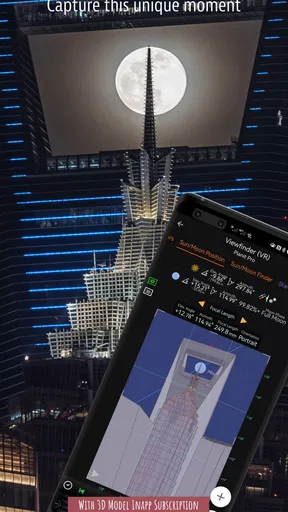
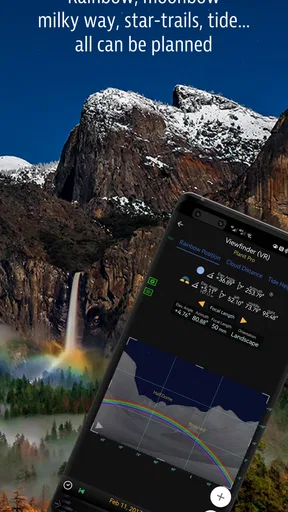
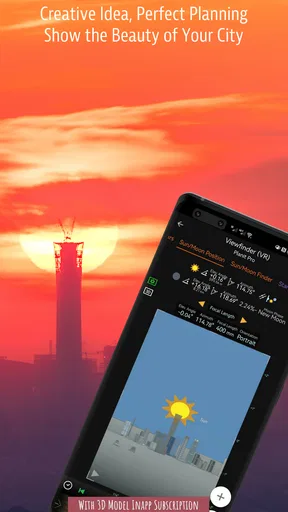
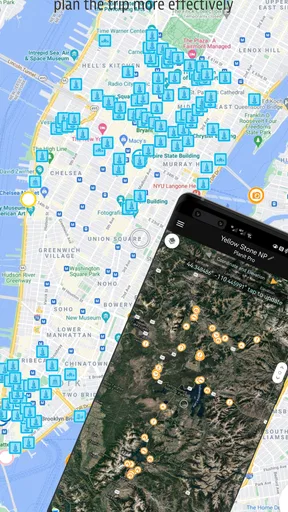
Now, let’s dive into what makes this app a game-changer. First off, the map-centric planning is a lifesaver. You can visualize your shoot location with satellite imagery and track sun and moon paths with precision. The app allows you to set up your shot in virtual reality using its VR view feature. How cool is that?
Then there’s the weather feature. It’s not just about rain or shine. You get detailed information about cloud cover, visibility, and even atmospheric pressure. This is pure gold when you're planning for those dramatic landscape shots.
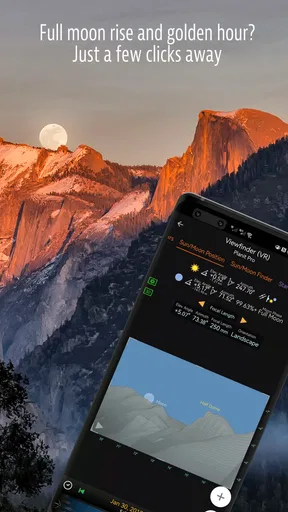
For me, the practical strength of combining a map with sky paths is that it changes the question from “Will the light be nice?” to “Will the light reach this particular part of the scene when I’m there?” A ridge, shoreline, or distant landmark can look promising on a general map but work very differently once direction and timing enter the picture. I would use the map view to shortlist a position, then check the sky path against the actual subject I want in the frame. That is more useful than treating a forecast or sunrise time as a complete plan.
Weather details help with a different decision: whether the conditions are likely to support the mood I’m after. Cloud cover and visibility matter for landscapes, while atmospheric pressure can add context to a changing forecast. I’d use those readings as planning clues, not promises. Weather can shift, and a planner can help me choose a window without guaranteeing the sky will cooperate. Keeping a backup location or a less weather-dependent composition is still sensible.
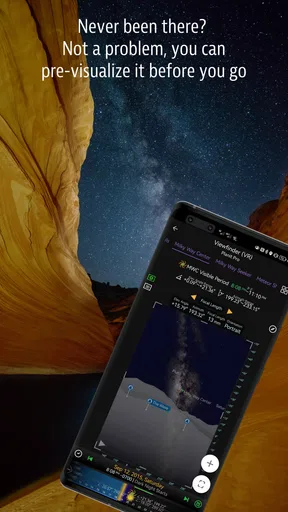
For those who love night photography, the app’s Milky Way and meteor shower planning tools are top-notch. You can predict the best time to capture the stars in all their glory, and the app even highlights potential meteor shower peaks. You’ll be ready to capture that epic sky shot at just the right moment.
Night-sky planning is also where preparation can save a wasted drive. I’d use it before leaving home to think about timing and whether a chosen foreground makes sense with the sky position, then make a final check at the location. For meteor work, a predicted peak can help me choose when to be out, but it cannot guarantee a dramatic display in a particular frame. I would plan a composition that remains worthwhile even if the sky is quieter than hoped.
Using Planit Pro Like a Pro
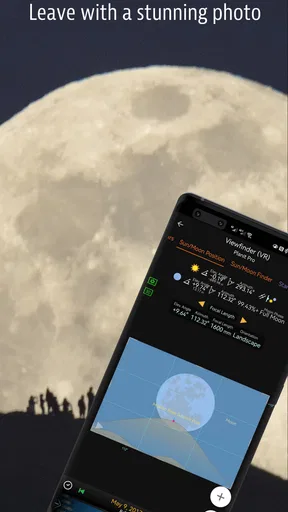
Planning your photo shoots with Planit Pro: Photo Planner is an art in itself. Start by selecting your location. Use the map tools to pinpoint your exact spot and the date and time you plan to shoot. The app will show you how the sun and moon move across the sky at that location, so you can plan your composition perfectly.
The app’s augmented reality feature is a personal favorite. It lets you see the position of the sun, moon, and Milky Way in real-time through your camera. This means you can physically walk around and find the best spot for your tripod, ensuring you capture the scene exactly as you envisioned.
I’d treat that camera-based view as a way to test an idea on site, not as a substitute for looking at the terrain with my own eyes. A virtual alignment can help answer whether a celestial object is generally in the direction I expect, while practical details—safe footing, access, foreground obstructions, and a place to set up—still need a real-world check. One useful workflow is to use the map at home to narrow the area, save a plan, and then use the on-location view to refine where I stand rather than wandering without a clear target.
Another neat feature is the ability to save your plans. You can create multiple plans for different locations or times, which is super handy for photographers who travel a lot or like to plan in advance.
Saved plans are especially helpful when a trip has more than one possible outcome. I might keep one idea for clear skies and another for cloudier conditions, or plan different dates for the same viewpoint. That turns the app into a record of decisions rather than a one-time lookup. It also makes it easier to compare plans before travelling, instead of trying to remember a promising alignment or location from a quick check weeks earlier.
Who gets the most value
What truly sets Planit Pro: Photo Planner apart is its attention to detail. It’s like having a seasoned photographer whispering tips in your ear. You’ll appreciate its ability to factor in every little detail, from topography to light pollution, helping you nail that perfect shot.
I think it is best suited to photographers who enjoy planning landscape, sunrise, sunset, or night-sky sessions and who are willing to spend a little time learning a specialist tool. A travel photographer can use it to assess whether a brief stop is worth arranging around a particular light direction. Someone working locally can build a shortlist of viewpoints and revisit them under different conditions. For a Milky Way outing, the ability to plan both sky timing and the foreground location is more relevant than a general-purpose forecast alone.
A realistic use case is a weekend morning when I have only a short window before other plans. I could choose a nearby ridge, set the intended date and time, inspect the sun’s direction on the map, and check the forecast details before packing. If the planned light does not suit the ridge, I can consider another saved location rather than discovering the mismatch after arriving. I would still leave room for a change of conditions, but the preparation makes the trip more intentional.
By comparison, a standard weather app is quicker when I only need to know whether rain is likely, and a basic map is simpler for finding an address or route. A camera app is the right tool when I’m ready to take the picture, while an editor is for work afterward. Planit Pro sits in a narrower space: it brings planning considerations together for a photographer who cares about where light and celestial events meet a landscape. That specialization is a benefit if I need it and unnecessary complexity if I don’t.
Where the trade-offs show
Yes, there’s a learning curve, but once you’re past that, you’ll be rewarded with stunning photographs that capture the essence of your vision. And with its constant updates, the app continues to evolve, keeping you ahead of the game.
I would be careful not to credit a planning app with producing the photograph by itself. It can help me arrive at a useful time and understand a scene, but composition, exposure, focus, and patience remain my responsibility. The detailed interface can also feel like too much if I usually decide on a walk and shoot whatever catches my eye. In that case, a simpler map and weather check may be faster and less distracting.
Another trade-off is how much planning a scene deserves. For a familiar local viewpoint, checking a few essentials may be enough; for a long drive or a night session, the extra preparation can feel worthwhile. I’d also avoid interpreting any forecast or predicted sky event as certainty. Conditions can change, so I’d use the app to improve my odds and keep a flexible alternative rather than build the whole outing around a single exact outcome.
If you mainly want to edit photos, apply filters, or take quick snapshots, this is not the tool I’d choose. Its appeal is tied to planning a photograph before pressing the shutter. Likewise, a beginner who is still learning basic camera controls may get more immediate benefit from practicing composition and exposure than from exploring a dense set of planning options. The app makes more sense once you have a subject in mind and want to work out when and where to photograph it.
My buy-or-skip verdict
In conclusion, whether you’re an amateur trying to perfect your craft or a professional looking to add some polish to your portfolio, Planit Pro: Photo Planner is worth every penny. So go ahead, download it, and start planning your next photo adventure. Trust me, your camera will thank you.
I’d make that recommendation more selective: at $4.99, it is easiest to justify if landscape or night-sky planning is a regular part of your photography, rather than an occasional curiosity. The optional in-app purchases are another reason to check what you actually want before spending beyond the initial price. If the map-based approach, sky timing, and saved plans fit the way you work, the purchase can earn its place by helping you prepare more deliberately. If you want a simple forecast, an editor, or a camera with minimal setup, I’d skip it and use a more straightforward tool.
My own rule would be to try one real plan before deciding whether its detail suits me: pick a location I know, choose a specific shooting time, and see whether the map and sky information answer questions I would otherwise have to guess at. If that process makes the outing clearer, Planit Pro has a practical role in my kit. If I find myself wrestling with options for a casual photo, the specialist depth is likely more than I need.
Verdict
Strengths of Planit Pro: Photo Planner
- Intuitive user interface for easy navigation.
- Comprehensive weather forecasts for shoots.
- Customizable notifications for events.
- Advanced map and location tools included.
- Supports multiple languages for accessibility.
Limitations of Planit Pro: Photo Planner
- Requires a subscription for full features.
- Heavy battery usage when in use.
- Offline mode is limited in functionality.
- Occasional bugs in the location services.
- No built-in photo editing tools available.
Similar Picks in This Category
View All
Google Photos
Google LLC4.4

Gallery
Google LLC4.2

Picsart AI Photo Editor, Video
PicsArt, Inc.3.9

B612 AI Photo&Video Editor
SNOW Corporation4.1

BeautyPlus-Selfie Photo Editor
PIXOCIAL TECHNOLOGY (SINGAPORE) PTE. LTD.4.5

Remini - AI Photo Enhancer
Bending Spoons4.1
Frequently Asked Questions
What is Planit Pro: Photo Planner and how does it work?
Planit Pro: Photo Planner is a comprehensive app designed for photographers to plan their outdoor shoots. It uses advanced tools like augmented reality, topographic maps, and weather forecasts to help you find the perfect time and place for your shots. Whether you're planning a sunrise landscape or a night sky shoot, this app offers detailed information to optimize your photography sessions.
Is Planit Pro suitable for beginners in photography?
Yes, while Planit Pro offers advanced features that appeal to professional photographers, it is also user-friendly for beginners. The app includes tutorials and guides to help new users understand its various functions. With some practice, beginners can effectively plan their shoots and improve their photography skills using this app.
Does Planit Pro require an internet connection to function?
Planit Pro can work offline, but some features require an internet connection. For example, downloading maps and accessing real-time weather data need connectivity. However, once maps are downloaded, you can access them offline, making it convenient for remote location shoots where internet access might be limited.
What devices are compatible with Planit Pro: Photo Planner?
Planit Pro is available for both Android and iOS devices. It supports a wide range of smartphones and tablets, ensuring that users can plan their photography sessions regardless of their preferred platform. Regular updates keep the app compatible with the latest operating systems and devices.
Are there any additional costs or in-app purchases in Planit Pro?
Planit Pro is a paid app, which means it requires a one-time purchase to download. There are no recurring subscription fees or hidden costs. However, it’s always best to check the app store for the latest pricing and any potential in-app purchases that could enhance user experience.
